Viaterra

Vehicles, drivers and trips.In one program.

Viaterra shows where your vehicles are, how much driving time the driver has left today, whether the cargo is at the right temperature and what the trip earned you. On your computer, phone and the tablet in the cab.

5 languagesfor office and drivers
3 screenscomputer, phone, tablet
4 vehicle typestrucks, vans, reefers, trailers

Viaterra in one minute

Vehicles on the map, driver times, trips and profit. This is what working in the program looks like.

See the program

Real screens from Viaterra. The data in the pictures is made up.

Fleet overview
Vehicles on the map, alarms, kilometres driven and the latest DDD downloads on one screen.

On the phone, for dispatchers and drivers

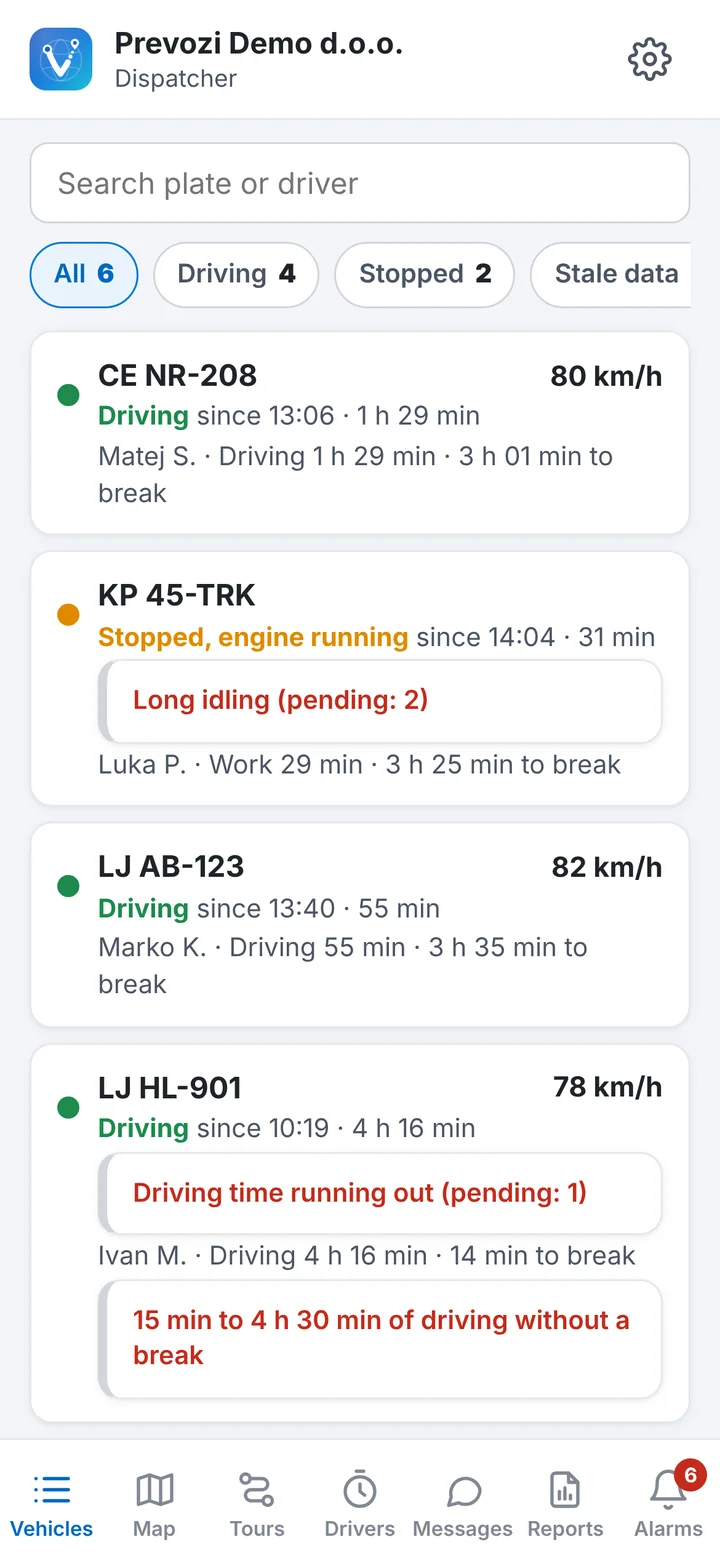
Vehicles on the phone
Vehicles on the phoneThe dispatcher sees vehicles, driving times and open alarms away from the office too.
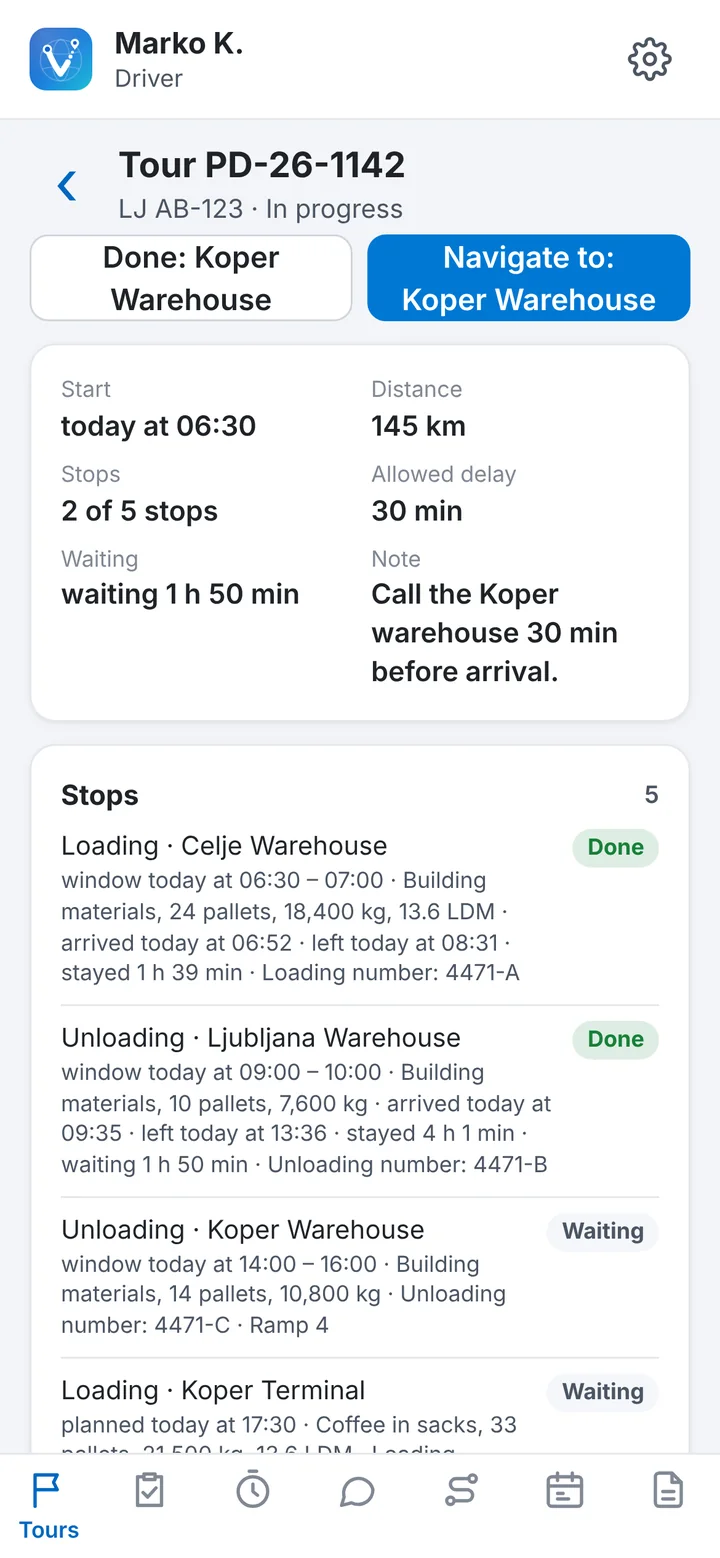
The driver's trip
The driver's tripStops, time slots and goods, with navigation to the next stop. No freight price.
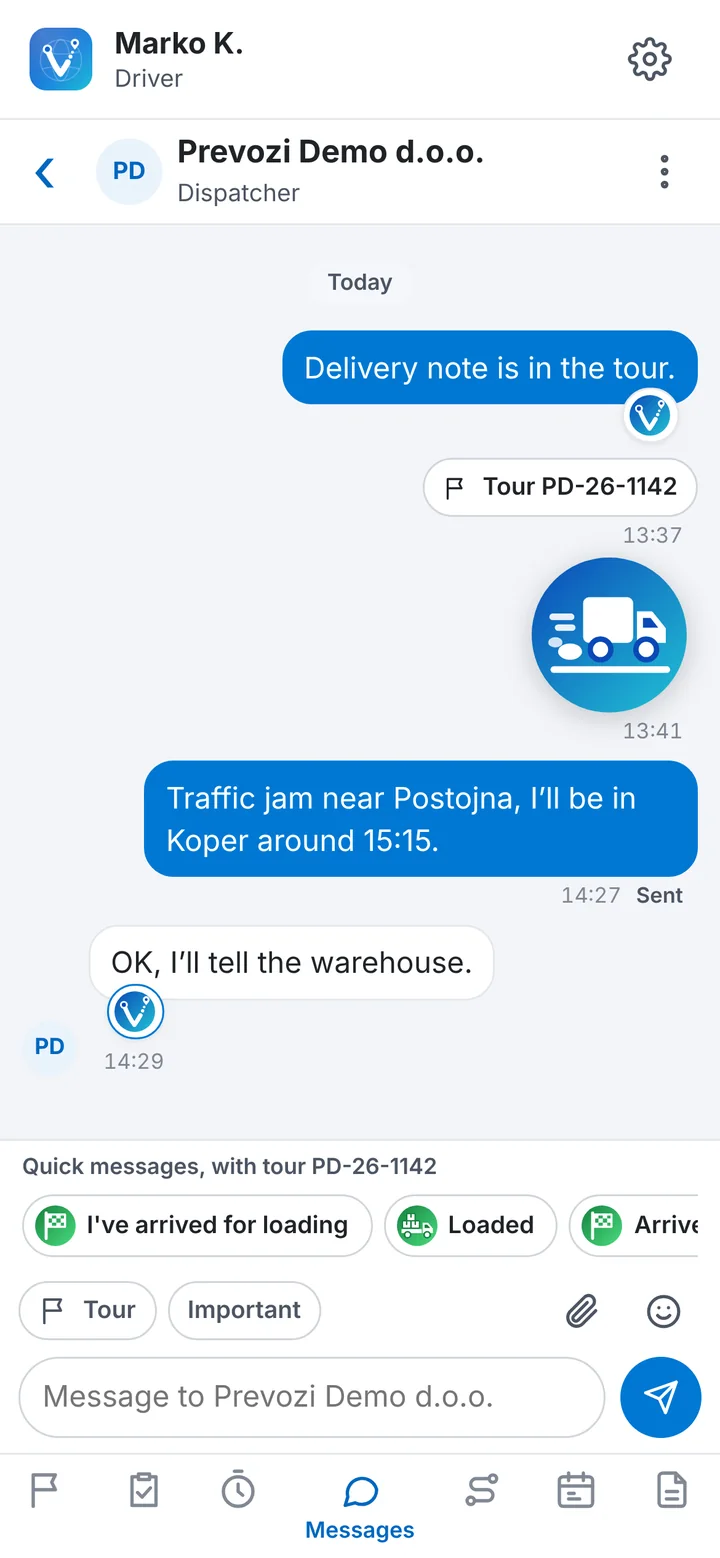
Messages
MessagesChat with the dispatcher, linked to the trip, with quick replies.
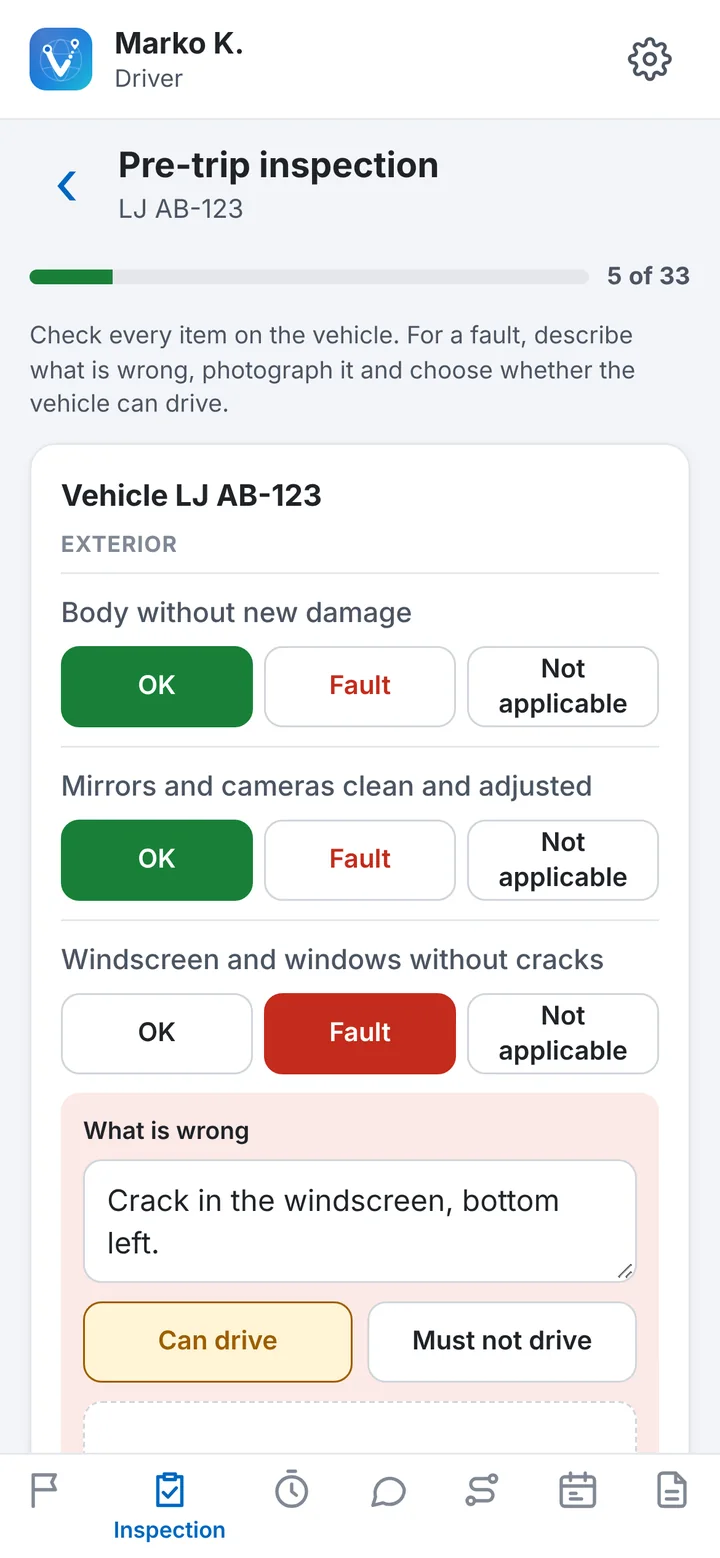
Pre-trip inspection
Pre-trip inspectionThe driver checks the vehicle point by point and records a defect with a photo.

More than a dot on a map

Everyone has tracking. From the same data, Viaterra also works out what a haulier would otherwise count by hand in Excel.

What you needTypical tracking softwareViaterra
Live vehicle position and trip historyYesYes
Profit per trip: freight, fuel, tolls, allowancesNoYes, for every trip
Waiting at loading and unloading, billable to the customerNoYes, measured automatically
Trip from a PDF or photo of the orderNoYes, no retyping
Expiry dates of vehicle, driver and company documentsNoYes, with reminders
Remote tachograph downloadOften only in a higher planYes, automatically before the deadline
Additional usersOften extra costUnlimited

“Typical software” means what tracking providers in Slovenia list on their public websites (November 2026).

Four reasons hauliers switch software

What others sell as an add-on, or don't have at all, is part of everyday Viaterra.

Tachograph

A tachograph that looks after itself

The program downloads files before the deadline on its own and always knows how much time the driver has left. Even when the tachograph isn't sending.

  • Remote download of vehicle and card, before the deadline
  • Driving time left today and this week, for every driver
  • Infringements and the Mobility Package in one place
More about the tachograph
Trips and customers

Every trip with its profit

Drag the order into the program and the trip is created. It works out fuel, tolls and allowances and measures waiting time you can bill the customer.

  • A trip from a PDF or photo of the order, no retyping
  • Profit per trip, including the empty run to loading
  • Waiting at loading and unloading, with proof
More about trips
Reefers and trailers

A cold chain with proof

The temperature range is read from the order and sensors watch it all the way. If something goes wrong you know at once, and the customer gets a log at the end.

  • Alarms for temperature, open door and reefer unit
  • A temperature log every 15 minutes, in PDF and Excel
  • Trailer on the map, even when uncoupled
More about reefers

A day with Viaterra

This is an ordinary working day when the program does the work for you.

  1. Pre-trip inspection

    The driver ticks off the check on the phone. Damage to the trailer is already with the dispatcher, photo included.

  2. The card downloads itself

    At ignition the program downloads the driver card that is due in two days. Nobody went to the vehicle.

  3. The order becomes a trip

    The dispatcher drags the order PDF into the program. Addresses, slots, freight and cargo temperature fill in by themselves.

  4. Navigation avoids trouble

    The route avoids bridges that are too low, the tablet warns about the Sunday driving ban and suggests a truck park the driver can still reach today.

  5. Waiting counts itself

    The truck waits 1 h 25 min at loading. The time is recorded with proof so you can bill the customer.

  6. Reefer alarm

    The temperature rises above 8 °C. Dispatcher and driver get the alarm in the same minute.

  7. The customer doesn't call

    Through the link they can see the truck arrives around 18:30.

  8. The trip is costed

    Profit is worked out with fuel, tolls and allowances. On the first of the month, the monthly PDF report arrives too.

How much money is left waiting at the dock?

Waiting that nobody measures, nobody pays for. Enter your own figures and see how much you could bill when Viaterra measures waiting time for you.

The calculation uses only the figures you enter.

You could bill per month–Per year: –

For the office, the road and the cab

The same data on every screen. Each user sees only their own vehicles and work.

Computer

A Windows program for dispatchers and management. Updates itself.

Phone

Vehicles, alarms and trips on the go. Drivers get their trips, working days and documents.

Tablet in the cab

Truck navigation, trips, messages and time to the next break on one screen.

TachoStudio

In-depth analysis of DDD files, infringements and risk.

The program speaks five languages:

SlovenianSerbianGermanEnglishRussian

From first call to first trip

We take care of everything. You just start using it.

Conversation

Tell us how many vehicles you have and what bothers you most about how you work today.

Preparation

We prepare the vehicles and the program for your company.

Setup

We enter vehicles, drivers and documents and train you.

Go live

You follow your vehicles live, reports arrive on their own.

We'll show you on your own vehicles

Tell us how many vehicles you have and what you need. We'll reply with a proposal and a demo date.

Book a demo